Incus Cluster
Part of the implementation guide
Follow Phase 2 — Incus for the full
order. Ansible runs bootstrap, join, cluster groups, scheduler, and UI (user interface)
via playbook-incus-cluster.yml.
The manual blocks below are reference.
Automation (Ansible)
cd ansible
ansible-playbook -i inventory.ini playbook-bootstrap.yml
ansible-playbook -i inventory.ini playbook-incus-cluster.yml
Roles: incus_cluster,
incus_ui.
Storage
Default HomeLab: driver dir, pool local, path
/var/lib/incus/storage-pools/local. Ansible validates ≥ 20 GB free before
init (incus_storage_min_free_gb in
group_vars/incus_cluster/vars.yml).
| Aspect | Default |
|---|---|
| Driver | dir |
| Pool | local (one per member) |
| Path | /var/lib/incus/storage-pools/local |
Profile default |
root on local, NIC bridged to br0 |
Per node
| Node | Note |
|---|---|
| invincible | 224 GB SSD; leader + UI |
| oliver | 120 GB SSD; local pool required; manual scheduler |
| deborah | eMMC boot; optional override to NVMe: incus_storage_path: /srv/incus/storage-pools/local |
dir limitations
- No pool-level CoW; instance snapshots and export tarball work.
- VMs (virtual machines) slower than with
zfs/btrfs. - Each member has a local pool; no Ceph by default.
Alternatives
| Driver | When | Variable |
|---|---|---|
dir |
Default HomeLab | incus_storage_driver: dir |
btrfs |
Efficient snapshots | incus_storage_driver: btrfs + disk/subvolume |
zfs |
VMs + advanced snapshots | incus_storage_driver: zfs |
lvm |
Thin LVM for VMs | incus_storage_driver: lvm |
playbook-incus-cluster.yml)incus_install)dirbtrfs / zfsCluster already initialized
Changing driver requires manual migration; choose before the first playbook.
Docs: Storage pools
Bootstrap (invincible) — manual
curl https://pkgs.zabbly.com/get/incus-stable | sudo bash -x
sudo incus admin init
# clustering=yes, no te unes (bootstrap), storage backend dir
Join (oliver and deborah) — manual
# ejecutar en invincible; genera token de un solo uso
incus cluster add oliver
# otro token distinto
incus cluster add deborah
incus admin init, answering yes to join, with the corresponding token.
Cluster groups (architecture)
incus cluster group create x86-nodes
incus cluster group create arm64-nodes

incus cluster group assign invincible x86-nodes,default
incus cluster group assign oliver x86-nodes,default
incus cluster group assign deborah arm64-nodes,default
Protect oliver RAM (manual scheduler)
oliver has 7.7 GB measured, so it stays as a light node for Incus quorum without automatic instances:
Excludesoliver from automatic scheduling; it only receives instances if
explicitly targeted with --target=oliver. Still counts as a quorum vote.
Virtual machines (VM)
Which nodes can run VMs
A VM needs KVM (Kernel-based Virtual Machine, hardware virtualization by the kernel), the kernel module vhost_vsock and the Incus driver qemu. Per node status:
| Node | Architecture | Runs VMs? | Reason |
|---|---|---|---|
| invincible | x86_64 | Yes | Driver lxc + qemu, vhost_vsock available |
| oliver | x86_64 | Yes | Same as invincible |
| deborah | ARM64 | No | Its vendor kernel (5.10, Rockchip) was built without vhost_vsock, and its Incus driver is only lxc |
If a VM is created targeting Auto and the scheduler picks deborah, it fails with
Instance type "virtual-machine" is not supported on this server: vhost_vsock kernel module not loaded.
Always specify the node:
In the UI, on the create form, pick the image first (until then Instance type, Target, and Profiles are disabled), then Virtual machine, and in Target an x86 node (invincible or oliver).
cloud images and the agent disk
Incus VMs are controlled from outside via incus-agent, a program that runs inside the VM and enables
incus exec, console, file copy, IP visibility, and clean VM shutdown. Incus passes it to the VM as a
read-only virtual disk named agent:config, which carries the binary, its certificates, and the service that starts it.
With a regular image (e.g., almalinux/8) Incus adds it automatically. The cloud variants (e.g., almalinux/8/cloud,
designed for cloud-init, which configures user, SSH keys, and network on boot) require adding it manually. If missing, the VM
won't boot:
The default profile doesn't include it (nor should it: it's shared by containers and agent:config only applies to VMs).
Add it to the VM:
Or, if you use cloud images often, create a separate profile and apply it at launch:
incus profile create vm-agent
incus profile device add vm-agent agent disk source=agent:config
incus launch images:almalinux/8/cloud mi-vm --vm -p default -p vm-agent --target invincible
Admin UI
Incus exposes a native web UI (incus-ui-canonical) to manage
instances, profiles, networks, and the cluster. It does not use kubeconfig; initial authentication
is by client certificate and, after Phase 4, by OIDC (OpenID Connect) (Dex → GitHub).
Installation (Ansible or manual)
Ansible installs the UI on invincible (incus_ui, tag ui). The UI is not
a container: it is served by the Incus daemon on core.https_address.
/etc/hosts on your workstation — full block in
HomeLab Overview:
Initial access: https://incus.homelab.local:8443 → client certificate.
ui)playbook-incus-cluster.ymlapt + config set)OIDC via Dex (Phase 4)
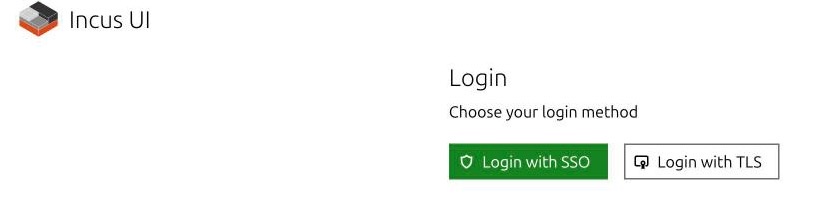
With OIDC configured, the UI login screen offers Login with SSO (single sign-on) (GitHub via Dex) and Login with TLS (Transport Layer Security) (client certificate):
View screenshot: Incus UI access
After Phase 4 — Incus UI OIDC, with the HomeLab CA (certificate authority) already installed on the node (see the warning below):
incus config set oidc.issuer=https://argocd.homelab.local/api/dex
incus config set oidc.client.id=incus-ui
Incus (7.x) only knows five OIDC keys: oidc.issuer, oidc.client.id, oidc.audience,
oidc.claim, and oidc.scopes. There are no oidc.client.secret or oidc.groups.claim: Incus does not send
a secret, so in Dex the client incus-ui is public (PKCE —Proof Key for Code Exchange—, public: true).
Incus must trust the HomeLab CA
The Dex certificate is signed by the HomeLab's own CA (cert-manager). If the node
does not know it, Incus cannot validate the identity provider and login fails. The
playbook (--tags incus, or just --tags incus_ca) installs it in invincible and
restarts incus. Manually, on the node:
kubectl -n cert-manager get secret homelab-ca -o jsonpath='{.data.ca\.crt}' | base64 -d \
  | sudo tee /usr/local/share/ca-certificates/homelab-ca.crt > /dev/null
sudo update-ca-certificates
sudo systemctl restart incus
Verify with curl -s -o /dev/null -w "%{http_code} ssl_verify=%{ssl_verify_result}\n" https://argocd.homelab.local/api/dex/.well-known/openid-configuration
(must return 200 ssl_verify=0). Details in
Phase 4.
OIDC user permissions
Incus 7.x does not ship with incus auth (groups and identity-provider-group are from LXD —the project Incus forked from—). With OIDC:
| Scenario | Result |
|---|---|
Member of team devops in org maceosoft |
Dex allows them through and, with Incus default config, they have full access |
| Account not in that team | Dex rejects the login: never reaches Incus |
Access control is therefore membership in team devops (filter orgs/teams of the
GitHub connector in dex.config). For granular permissions (per project, read-only) Incus
uses OpenFGA, which is not
configured in the HomeLab.
References:
Load balancing and OVN
Incus has network load balancers (incus network load-balancer) and port forwards (incus network forward), but
network load balancers only exist on OVN networks (Open Virtual Network, software-defined virtual network). In the
HomeLab OVN is deployed (see Deploy OVN and segments):
br0 remains an unmanaged bridge for existing instances, and the uplink network UPLINK and the OVN network ovn-lan are created,
making network load balancers available.
lb01 is not the Incus load balancer
The instance lb01 appearing in incus list is an nginx OCI container (for testing). The real load balancing
in the HomeLab lives in other layers:
| What is balanced | Who does it | Where |
|---|---|---|
Kubernetes applications (Services LoadBalancer) |
MetalLB, with the 192.168.23.200–.220 IPs (the Kong Gateway uses .200) |
GitOps Catalog |
| Control plane of Cluster API clusters | CAPN, with its own load balancer (LOAD_BALANCER='lxc: {}', a container inside Incus) |
Phase 6 — CAPN |
| K3s API | The control plane IP (kube-vip is optional and disabled) |
Phase 3 — K3s |
Should you enable OVN?
What OVN requires and what it implies for the HomeLab. The segments and deployment are in Deploy OVN and segments.
| OVN Requirement | Status in HomeLab |
|---|---|
Packages ovn-central (3 nodes, highly available database), ovn-host and openvswitch-switch |
They are on Debian on all three nodes, with OVN 25.03 and Open vSwitch 3.5 on Debian 13 (invincible, oliver); deborah remains on Debian 12 until updating it, and until then its versions do not match |
| Shared Layer 2 network between nodes | Yes: all three are on the same LAN via br0 |
| Uplink: an unmanaged bridge or an unused NIC | br0 works; no need to redo it |
| Reserved IP range outside DHCP for OVN router and virtual IPs | Defined: 192.168.23.224/28 (LB) and 192.168.23.240–.249 (external OVN), outside DHCP and MetalLB. See Deploy OVN and segments |
| Instances inside an OVN network | Instances hanging from br0 (such as lb01, test and vm01) have LAN IPs: to use OVN they must be connected to ovn-lan |
Memory per node (OVS, ovn-controller and central database) |
oliver has 7.7 GB: advisable to measure OVN consumption there |
| Pros | Cons |
|---|---|
| Native load balancers and forwards in Incus | Three new components per node and a distributed database to operate |
| Isolated virtual networks per project or cluster, with ACLs | Must reserve a new IP range and move instances that want to use them |
LOAD_BALANCER: ovn in CAPN for Phase 6 clusters |
Only benefits instances that move to an OVN network; K3s runs on hosts and does not benefit |
Deploy OVN and segments
The role incus_ovn, within playbook-incus-cluster.yml, installs OVN on the three nodes (the highly available database, with invincible creating it and the others joining), configures Incus and creates the uplink network over br0 and an OVN network. It is safe by default: without -e incus_ovn_confirm=true it only runs the preflight (Incus version, packages, free memory, that br0 exists and that reserved IPs do not respond) and installs nothing. With incus_ovn_enabled: false (the default value) the cluster playbook does not even touch it.
| Segment | Value | Where configured | Variable |
|---|---|---|---|
| LB (IP of load balancers and forwards) | 192.168.23.224/28 |
ipv4.routes of the uplink |
incus_ovn_lb_routes |
| External OVN (one IP per virtual router) | 192.168.23.240–192.168.23.249 |
ipv4.ovn.ranges of the uplink |
incus_ovn_external_ranges |
| Internal OVN (private subnet, with NAT) | 192.168.19.1/24 |
ipv4.address of the ovn-lan network |
incus_ovn_internal_cidr |
The first two are from the LAN (192.168.20.0/22) and must be outside the router's DHCP (192.168.20.31–192.168.23.191) and the MetalLB pool (192.168.23.200–.220). The allocation of the high free zone of the LAN:
| Range | Use |
|---|---|
192.168.23.192–.199 |
Free |
192.168.23.200–.220 |
MetalLB (21 IPs; Kong Gateway uses .200) |
192.168.23.221–.223 |
Free |
192.168.23.224/28 (.224–.239) |
Incus LB (16 IPs) |
192.168.23.240–.249 |
External OVN (10 IPs, one virtual router per OVN network) |
192.168.23.250–.255 |
Free (.255 is the broadcast of the /22, not used) |
The preflight fails if segments overlap with DHCP, with MetalLB, with each other, or with the broadcast. The internal one is private and does not touch the LAN: it also does not overlap with K3s ranges (10.42.0.0/16 and 10.43.0.0/16). Current instances (lb01, test, vm01) remain on br0: only those you connect to ovn-lan use OVN.
cd ansible && source ../.venv/bin/activate
# preflight
ansible-playbook -i inventory.ini playbook-incus-cluster.yml --tags ovn --skip-tags always -e incus_ovn_enabled=true
# instala
ansible-playbook -i inventory.ini playbook-incus-cluster.yml --tags ovn --skip-tags always -e incus_ovn_enabled=true -e incus_ovn_confirm=true
Then, a network load balancer is created with incus network load-balancer create ovn-lan 192.168.23.225 and its configuration. The listen address must be in the ipv4.routes of the uplink and not overlap with another network in use.
Verify deployment: ovn-central, ovn-controller and Open vSwitch active on all three nodes; the Northbound database clustered with leader (ovn-appctl -t /var/run/ovn/ovnnb_db.ctl cluster/status OVN_Northbound); one Geneve chassis per node (ovn-sbctl show); and UPLINK and ovn-lan in Created state (incus network list).
OVN database is not encrypted
Following the Incus guide, the playbook exposes OVN databases via tcp without SSL (Secure Sockets Layer) on the nodes' LAN. Acceptable in a lab; for production you would need to enable SSL in OVN.
Alternatives without OVN: MetalLB for applications, the CAPN (Cluster API Provider for Incus) load balancer for new clusters, and a container with HAProxy or nginx plus keepalived if a virtual IP is needed for instances.
Update or uninstall Incus
Both playbooks are safe by default: without the confirmation variable they only show what they would do.
| What | Playbook | Confirmation | Effect |
|---|---|---|---|
| Update Incus to latest repository version | playbook-upgrade-incus.yml |
-e incus_upgrade_confirm=true |
Updates incus* packages node by node and waits for all three members to be ONLINE. Does not delete instances |
| Uninstall cluster (to rebuild it) | playbook-uninstall-incus.yml |
-e incus_uninstall_confirm=true |
Destructive: deletes instances, images, managed networks, the pool and packages. Does not touch br0, K3s or BIND |
The cluster requires the same Incus version on all members: while they differ, the API is blocked on those already updated until the others catch up. That is why the update playbook runs through the three nodes sequentially and verifies at the end. To rebuild the cluster after uninstalling: playbook-bootstrap.yml and playbook-incus-cluster.yml.
Backup and snapshots (optional)
They are not part of the default bootstrap. Enable them when you want to protect instances or cluster state. The step-by-step is in Incus Backups.
| Method | Scope | When to use |
|---|---|---|
| Instance snapshots | One instance, same storage pool | Quick rollback; does not replace offsite backup |
| Export tarball | Instance or portable volume | Restorable copy to another pool or server |
| DB dump | Incus metadata (networks, profiles) | Lightweight cron addition |
Tar of /var/lib/incus |
Full server | DR of bootstrap node |
Scheduled snapshots (per instance)
# Diario a las 06:00; expira a los 7 días
incus config set <instancia> snapshots.schedule="0 6 * * *"
incus config set <instancia> snapshots.expiry=7d
incus config set <instancia> snapshots.pattern="{{ creation_date|date:'2006-01-02' }}"
Manual snapshot: incus snapshot create <instancia> <nombre>
Export and metadata dump
incus export <instancia> /backup/<instancia>.tar.gz
incus admin sql local .dump > /backup/incus-local.sql
incus admin sql global .dump > /backup/incus-global.sql
Limitations
- Snapshots live in the same storage pool as the instance; if you lose the disk, you lose snapshots and data.
- In a cluster, schedule backups on the node hosting the instance or use
incus copy --refreshto another Incus server for offsite copies. - For CAPN/critical workloads, combine snapshots with periodic export or replication.
Official docs: Instance backup, Server backup.